
A player who has transferred a deposit but sees no balance update in their Taya777 account, or receives a failed notification on a GCash deposit, is not in an unusual situation. Most deposit errors have specific causes and clear solutions, ranging from waiting for the payment gateway to process to rechecking transaction details. This guide covers the most common Taya777 deposit errors, the cause of each and quick fixes so players can get back to their experience as soon as possible.
- Common Taya777 deposit errors include funds transferred but not yet credited, a GCash or Maya transaction reported as failed, an incorrect amount or reference code entered, an expired transaction session and delayed deposits during peak hours. Each error has its own cause originating from the payment gateway, user input or system load.
- Most deposit errors are resolved by rechecking the transaction status, verifying the amount and reference code, waiting for the payment gateway processing time or contacting support with a screenshot of the transaction receipt. E-wallets such as GCash and Maya typically process faster than bank transfers.
- Players should keep a receipt for every deposit, check Transaction Records before depositing again to avoid duplicate deposits and contact 24/7 support via live chat when funds have not arrived after the usual processing time. Understanding the cause of each error helps resolve issues quickly and avoids incorrect actions that complicate the transaction further.
Common Taya777 deposit errors
Deposit errors at Taya777 originate from three main groups of causes: issues from the payment gateway or e-wallet, incorrect actions by the player and system load during peak hours. Understanding the cause group helps players identify the right solution rather than taking incorrect actions that complicate the transaction.
The table below summarises the most common deposit errors along with their main cause and quick fix:
| Common error | Main cause | Fix |
| Funds transferred but not yet credited | Payment gateway processing, peak hours | Wait a few minutes, check Transaction Records |
| GCash or Maya deposit failed | Insufficient wallet balance, expired session, connection error | Check wallet balance, retry with a new session |
| Incorrect amount or reference code | Wrong transaction details entered | Contact support with receipt |
| Transaction session expired | Left the deposit form too long without completing | Start a new transaction from the beginning |
| Slow deposit during peak hours | High volume of simultaneous transactions | Wait an additional 5 to 15 minutes and monitor status |
| Duplicate deposit | Deposited again before the first transaction was updated | Contact support for verification and refund |
Most of these errors are not caused by a locked account or a serious system fault but are typically processing delays or information errors that can be resolved quickly.
Common Taya777 deposit errors and how to resolve them
How to fix Taya777 deposit errors
Once the cause has been identified, players apply the corresponding fix. Below are the checking and resolution steps in order of priority.
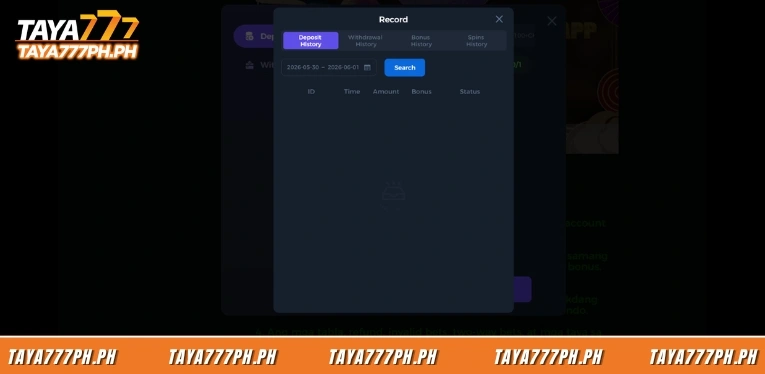
Step 1: Check the transaction status
Players open the Transaction Records or Deposit History section in their account to check the status of the deposit transaction. If the transaction shows as processing, players should wait rather than deposit again. If no transaction is recorded, the transaction may not have been received by the system yet.
Step 2: Compare the receipt with the deposit details
Players check the transfer receipt from their wallet or bank and compare the amount and receiving account details with the information shown on the Taya777 deposit interface. Keeping a receipt for every deposit makes the verification process faster when needed.
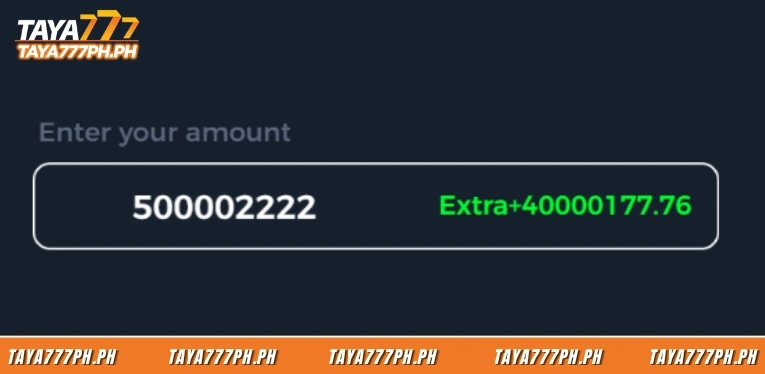
Step 3: Allow time for the payment gateway to process
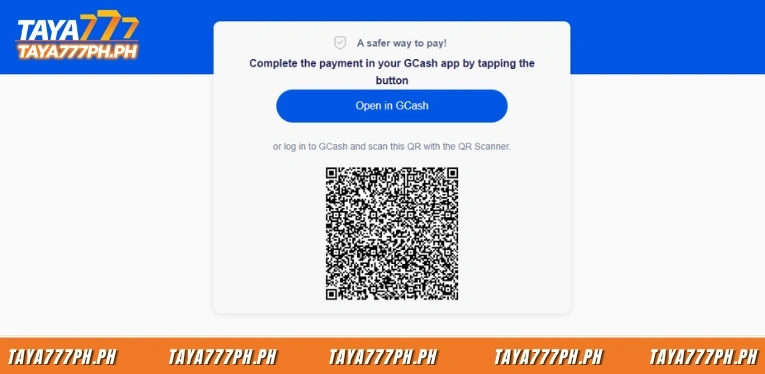
For e-wallet transactions, players should wait a few minutes up to a maximum of around 15 minutes during peak hours. For bank transfers, processing time may be longer, particularly on weekends and public holidays when the interbank system operates at reduced speed.
Step 4: Avoid depositing again before checking
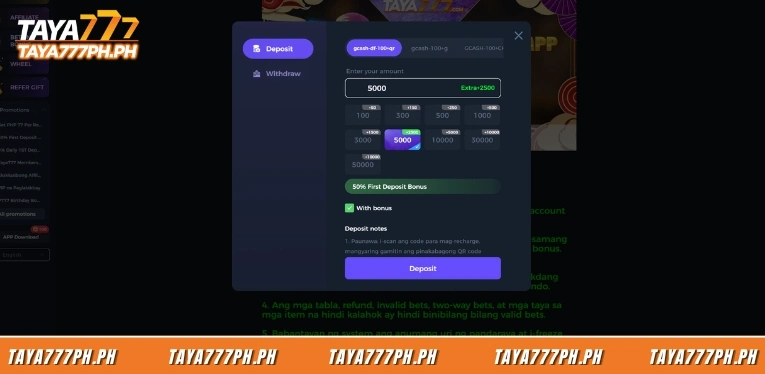
Players should not deposit again immediately when funds have not yet arrived as this may result in a duplicate deposit. Instead, check Transaction Records first and if the first transaction has already been recorded then wait. If a second deposit is needed, players should confirm the first transaction has completely failed before proceeding.
For a full step-by-step deposit process, players can refer to the detailed deposit guide on the Taya777 guide page.
When to contact Taya777 support
If the basic checking steps do not resolve the issue, players should contact support for assistance. Below are the situations that should be escalated to support.
Players should contact support when funds have been successfully transferred but have not arrived in the account after the usual processing time, when the wallet has been debited but the transaction shows as failed, when a duplicate deposit is suspected or when a transaction has an incorrect reference code that requires manual verification.
Before contacting support, players should prepare the following information: a screenshot of the transaction receipt, the deposit amount and time, the wallet or bank account number used and the transaction code if available. Providing complete information helps the support team verify the transaction faster. Taya777 offers 24/7 customer support via live chat in English and Tagalog.
Most Taya777 deposit errors originate from payment gateway processing delays or incorrect transaction details rather than lost funds and are typically resolved by checking Transaction Records and waiting for processing to complete. If funds have not arrived after the usual time or the wallet has been debited but the transaction failed, players should contact 24/7 support with a screenshot of the receipt for quick verification. Players should keep a receipt for every transaction and avoid depositing again before checking to prevent duplicate deposits.

Barbie Imperial is a Senior Content Strategist at TAYA777, specializing in online casino news, detailed gaming guides, and sports betting insights for the Philippine market. With a proven track record in the iGaming industry, she is committed to providing reliable, accurate information that helps players bet with clarity and confidence.