
Complete your Taya777 login using your phone number as the username, with options to remember your login and recover your password. This guide covers every step for logging in on both browser and app, along with solutions for common login errors so players can access their account quickly and safely.
- The Taya777 login process has 4 steps: open the interface and select the Login tab, enter your phone number with the +63 country code, enter your account password, tick Remember Me if needed, then click the Login button. Players use Forget Password to recover a forgotten password, or select the Register tab to create a new account.
- Taya777 login uses a phone number as the login credential instead of a username, supported by two features: Remember Me to save login details on personal devices and Forget Password to recover access via phone number verification. Players can log in on both web browser and Android APK or iOS PWA apps using the same process.
- Four common Taya777 login errors include an incorrect phone number or password, selecting the wrong country code, an unactivated or suspended account and browser connection issues. Players who understand how to handle each error along with basic security practices will access their account quickly and safely.
4 steps to complete your Taya777 login
The Taya777 login process is straightforward and applies to both desktop browser and mobile device. Here are the 4 steps in detail:
Step 1: Open the login interface and select the login tab
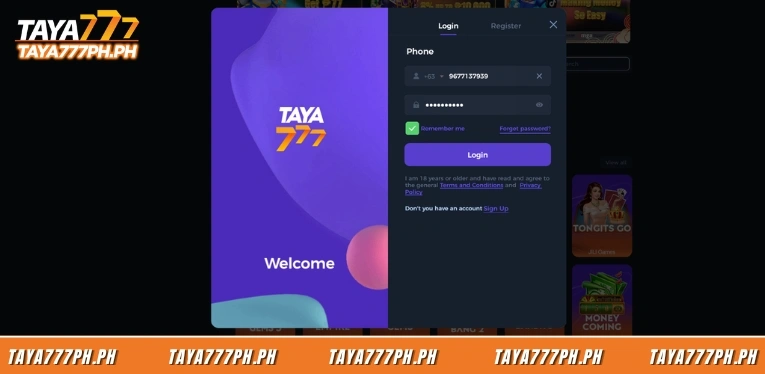
Players go to the Taya777 homepage then click the login button to open the Login window. The interface shows two tabs, Login and Register, at the top, with the Login tab selected by default and underlined in purple when active. The left side of the window displays the TAYA777 logo and a Welcome message.
Step 2: Enter your phone number with the +63 country code
In the Phone field, players enter the registered phone number. The system pre-fills the +63 Philippines country code at the start of the field and players only need to enter the remaining digits. To change to a different country code, click the dropdown arrow next to +63 and select the correct code. The X icon on the right clears the field quickly.
Step 3: Enter your account password
In the password field below, players enter the exact password set during registration. The password is hidden as dots by default for security. Click the eye icon on the right side of the field to show or hide the password and verify the entry before logging in.
Step 4: Tick remember me and click login
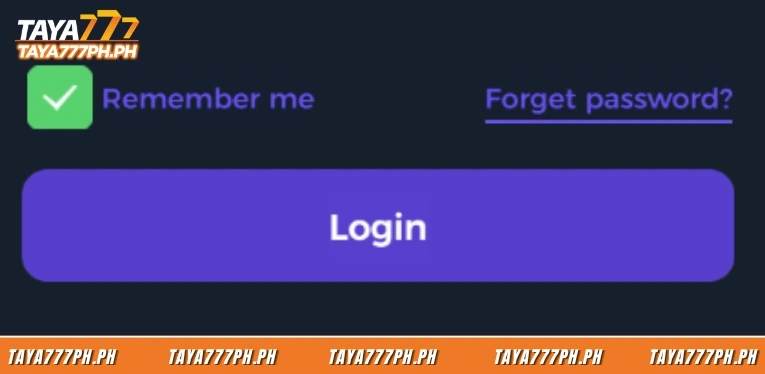
Players can tick the Remember Me checkbox so the system saves the login details for future sessions. After entering the phone number and password, click the purple Login button to complete the Taya777 login. Below the Login button is an age commitment statement along with links to the platform’s Terms and Conditions and Privacy Policy.
How to use remember me and forget password
Taya777 provides two login support features directly below the password field, helping players complete their Taya777 login more conveniently and recover from a forgotten password.
The Remember Me feature, when ticked, saves login details on the device so players do not need to re-enter their phone number and password on future visits. This is convenient on personal devices. However, players should not enable Remember Me on public computers or shared devices to avoid the risk of account exposure.
The Forget Password feature is located on the right, on the same line as Remember Me, and is used to recover a forgotten password. Clicking Forget Password directs players to verify their account via the registered phone number and then set a new password. Players must ensure the registered phone number is still active to receive the verification code during recovery.
Common Taya777 login errors and how to fix them
Some players may be unable to complete their Taya777 login. This section covers common errors and the corresponding solutions so players can regain access quickly.
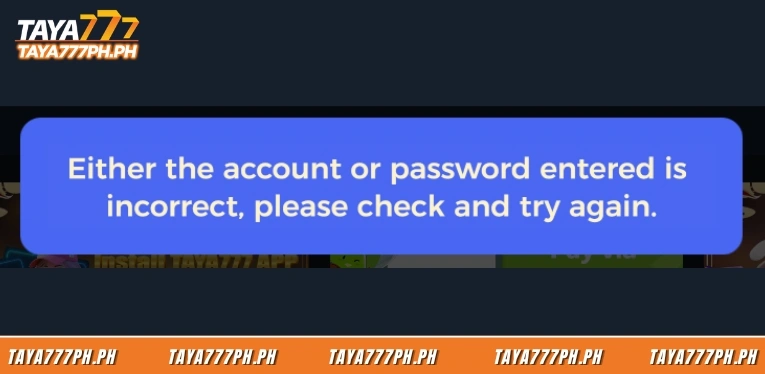
- Incorrect phone number or password: Players should recheck that the entered phone number matches the registered number, then use the eye icon to reveal the password and confirm the entry is correct. If the password is forgotten, use the Forget Password feature to recover it.
- Wrong country code selected: The Taya777 login screen defaults to the +63 Philippines country code. If it has been changed to another code by mistake, the system will not recognise the registered phone number. Players should check the country code displayed before the phone number field.
- Unactivated or suspended account: An account that has not completed the registration process or is currently suspended cannot be used to log in. Players should contact the 24/7 support team via live chat to check the account status and receive instructions on how to reactivate it.
- Connection error due to browser or network issues: Network problems, browser cache or an outdated browser version can cause the Taya777 login page to load incorrectly. Players can try clearing the cache, switching to a different browser, checking the network connection or logging in via the app instead.
Frequently asked questions about Taya777 login
Below are common questions about the Taya777 login process:
What should I do if I forget my Taya777 password?
Click Forget Password below the password field, then verify the account via the registered phone number and set a new password. The registered phone number must still be active to receive the verification code.
Should I enable Remember Me during Taya777 login?
Remember Me is convenient on personal devices as it saves login details. However, players should not enable it on public computers or shared devices to avoid account exposure.
Why can I not complete my Taya777 login even though I entered the correct details?
Common causes include selecting the wrong country code instead of +63, an unactivated or suspended account or a browser connection error. Players should check the country code, try a different browser or contact 24/7 support to check the account status.
How do I complete the Taya777 login on a mobile phone?
Players can log in via the APK app on Android or through Safari as a PWA on iOS. The Taya777 login process is the same as on web: enter the phone number and password. Some app versions also support biometric login.
The Taya777 login process uses 4 steps with a phone number plus the +63 country code and account password, applying equally to both browser and app. Players must enter the correct country code, use Forget Password when the password is forgotten and follow basic security practices to protect the account from unauthorized access.

Barbie Imperial is a Senior Content Strategist at TAYA777, specializing in online casino news, detailed gaming guides, and sports betting insights for the Philippine market. With a proven track record in the iGaming industry, she is committed to providing reliable, accurate information that helps players bet with clarity and confidence.