
How to Taya777 KYC verification? This is one of the most common questions players have when joining the platform. In practice, identity verification (KYC) is a mandatory process that secures the account and protects the legal transaction rights of members at Taya777.
- Fast 24/7 verification channel: Live Chat is the optimal method, connecting players directly with staff for guided document review. Check your status and resolve KYC issues immediately, within 24 hours.
- Strict document requirements: The file must include all 3 core document groups: identity proof (Proof of ID valid for more than 3 months), residence proof (Proof of Residence less than 3 months old), and a selfie holding the ID. All full-name details must match exactly and must not belong to a restricted country.
- Note on account status: After submitting the file, the account moves to a pending status (Temporarily Approved) and withdrawals are limited. If rejected or if more information is required, players simply provide the ticket code received by email to Live Chat for the fastest fix.
How to Taya777 KYC verification via Live Chat
To verify KYC via Live Chat, players open the 24/7 chat window. Request account verification support, submit all 3 document groups along with basic personal details, then wait for the result within 24 hours. Live Chat does not replace the document submission step, but it is the fastest channel for direct staff guidance and for resolving issues the moment they arise.
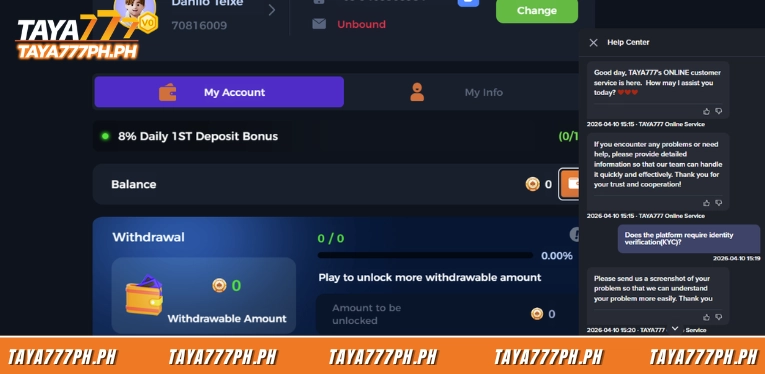
- Step 1 – Open Live Chat: Access the Taya777 platform on a browser or app and open the Live Chat icon (usually in the corner of the screen). This channel runs continuously 24/7, so players can start at any time.
- Step 2 – Request verification support: Tell the staff that you want to complete KYC. They will guide you to where documents are uploaded, or receive the documents directly if the upload function fails.
- Step 3 – Enter your details and send the 3 document groups: Provide the basic personal details requested, then send Proof of ID, Proof of Residence, and Selfie with ID in turn. Take photos that are well-lit, sharp, and do not crop off the corners of the documents.
- Step 4 – Receive the “Temporarily Approved” status and wait for review: Right after submission, the account moves to Temporarily Approved status and all documents are passed to the KYC team. This team has 24 hours to review and email the result. While waiting, Live Chat is a convenient channel to check whether the documents have arrived.
Documents to prepare for KYC verification at Taya777
Players must prepare all 3 document groups before contacting Live Chat: identity proof (Proof of ID), residence proof (Proof of Residence), and a selfie holding the document (Selfie with ID). Missing one of these three groups is the most common reason files get returned.
| Document group | Accepted types | Core requirements |
| Proof of ID | Government-issued identity document (front and back may be required) | Clear signature, valid for at least 3 more months, correct full name, owner over 18 years old |
| Proof of Residence | Bank statement or utility bill | Issued within the last 3 months, name matching Proof of ID |
| Selfie with ID | Selfie holding the identity document | Person in the photo matches the document owner; the ID number/photo matches the copy submitted as Proof of ID |
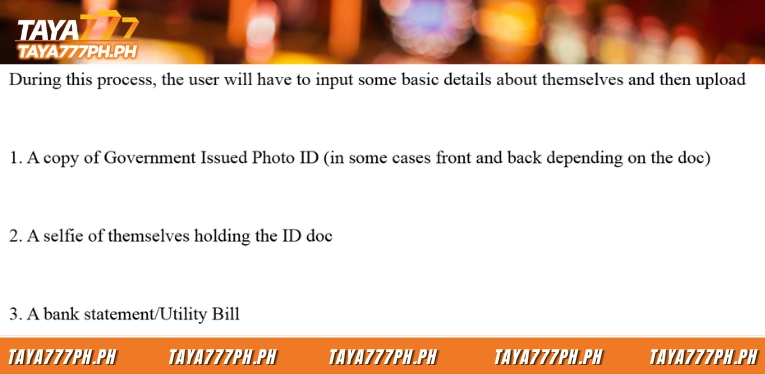
A practical note: The name on all three documents must match exactly. Even if Proof of Residence shows a name slightly different from Proof of ID, the file falls into the “more information needed” category.
Conditions for fast KYC document approval
KYC documents are approved only when they simultaneously meet the conditions for signature, country, name, validity, and age. The KYC team checks each criterion one by one, and just one failed criterion moves the file to rejection or “more information needed.”
For Proof of ID, the document must be signed, carry the player’s correct full name, remain valid for at least 3 months from the time of submission, and the owner must be over 18 years old. For Proof of Residence, the statement or bill must be issued within the last 3 months and carry the same name as Proof of ID.
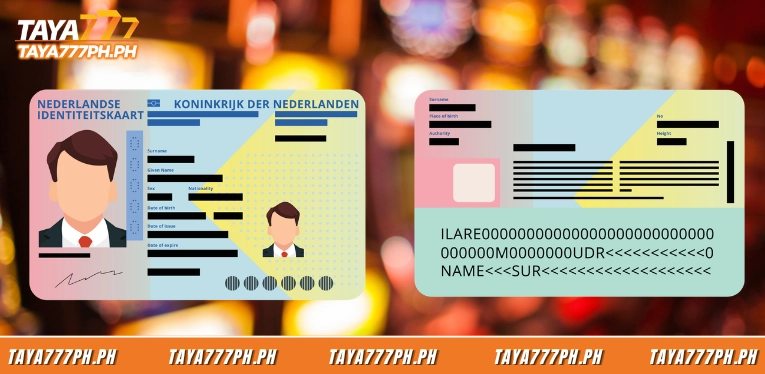
One easily overlooked condition is that the country must not be on the restricted list. Under the KYC policy, the restricted countries/territories are: the United States and its territories, France and its territories, the Netherlands along with its territories and the countries of the Kingdom of the Netherlands (Bonaire, Sint Eustatius, Saba, Aruba, Curacao, Sint Maarten), Australia and its territories, the United Kingdom, Northern Ireland, and Spain. And for Proof of Residence specifically, Cyprus is also added. Documents from these countries will not be accepted.
Review time and account statuses after submitting documents
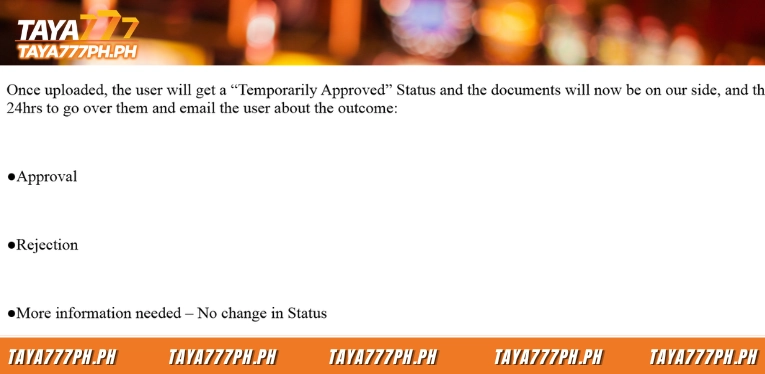
After submitting all documents, the KYC team has 24 hours to review and return one of three results by email. Throughout this period, the account stays in Temporarily Approved status with certain specific limits.
| Status | Meaning | Effect on account |
| Temporarily Approved | Documents submitted, awaiting review | Use the platform normally, cannot withdraw yet |
| Approval | Documents meet requirements | Transactions unlocked at full limits |
| Rejection | Documents rejected | The system creates a support ticket with the reason, then sends the ticket code and explanation by email |
| More information needed | Additional documents required | Status unchanged; the player must submit more documents |
If verification is unsuccessful, the reason is recorded and a support ticket is created in the system; the ticket code along with the explanation will be sent back to the player. Save this ticket code to provide to Live Chat staff when further handling is needed.
Common KYC verification errors and how to fix them
Most returned KYC files come from 5 familiar errors, and most can be avoided with careful preparation from the start.
- Blurry photos or missing corners that prevent staff from reading the information; fix this by shooting with enough light and keeping the document fully inside the frame.
- Documents about to expire; if Proof of ID expires within the next 3 months, the file will be rejected, so use a document with a long validity period.
- Names not matching across documents; make sure the name on Proof of ID, Proof of Residence, and the account details all match.
- Proof of Residence too old; players should remember that the statement/bill must be issued within the last 3 months.
- A selfie that does not clearly show the document, preventing the system from matching the ID number/photo with the submitted copy.
When you encounter a Rejection or More information needed status, open Live Chat, provide the ticket code received by email, and resend only the specific documents requested instead of resubmitting the entire file.
The process for how to Taya777 KYC verification revolves around three document groups: Proof of ID, Proof of Residence, and Selfie with ID, with a review time of up to 24 hours and continuous support from Live Chat 24/7. Understanding the valid document conditions, the restricted country list, and the deposit/withdrawal limits for each status will help players pass KYC successfully on the first try. All information is compiled officially from the Taya777 platform. Players should review it carefully before participating. Thank you!

Barbie Imperial is a Senior Content Strategist at TAYA777, specializing in online casino news, detailed gaming guides, and sports betting insights for the Philippine market. With a proven track record in the iGaming industry, she is committed to providing reliable, accurate information that helps players bet with clarity and confidence.