
This article provides a detailed guide to the Taya777 withdrawal process for Philippine players across the three methods supported on the platform: GCash, PayMaya, and Bank Card. The content covers the 6-step process, the Withdrawable Amount mechanism, the conditions to meet before withdrawing, the factors that affect processing time, and a frequently asked questions section. Among the three methods, the platform recommends PayMaya for its faster processing speed compared to GCash.
- The Taya777 withdrawal process has 6 steps: Log in to your account and open the Withdraw section -> Enter the amount to withdraw within the allowed limit -> Select one of the three payment methods -> Fill in the receiving account details along with a Beneficiary Name matching your registered name -> Press the Withdraw button -> Track the status via Withdrawal History.
- Four main factors affect withdrawal speed: the chosen payment method, with e-wallets being faster than bank transfers; the progress of unlocking the Withdrawable Amount through betting; the KYC verification status on the first withdrawal; and the time of day the transaction is made.
- The fastest withdrawal method at Taya777 is PayMaya, recommended directly on the withdrawal interface.
6-step Taya777 withdrawal guide
The Taya777 withdrawal process applies the same way to all three methods, differing only in the receiving account details section. Below are the 6 detailed steps:
Step 1: Log in and open the Withdraw section
Players log in to their activated Taya777 account, then open the payment interface, which displays two tabs, Deposit and Withdraw, in the left-hand column. Next, click the Withdraw tab (it turns purple when activated) to enter the withdrawal interface.
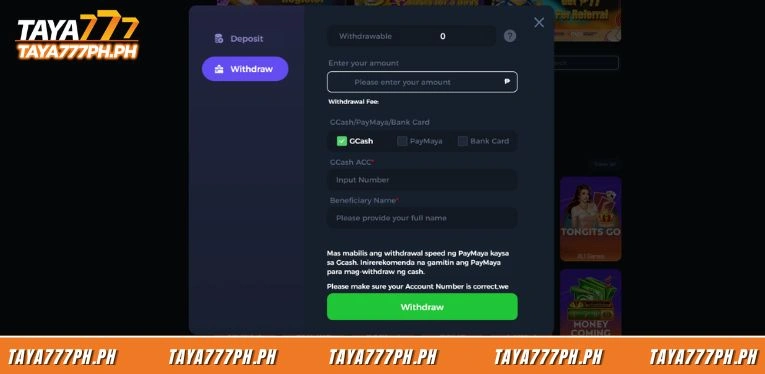
Step 2: Check the Withdrawable Amount
At the top of the Withdraw interface, the system displays the Withdrawable figure, which is the amount already unlocked and available to withdraw immediately. Players should check this number before entering the amount they want to withdraw.
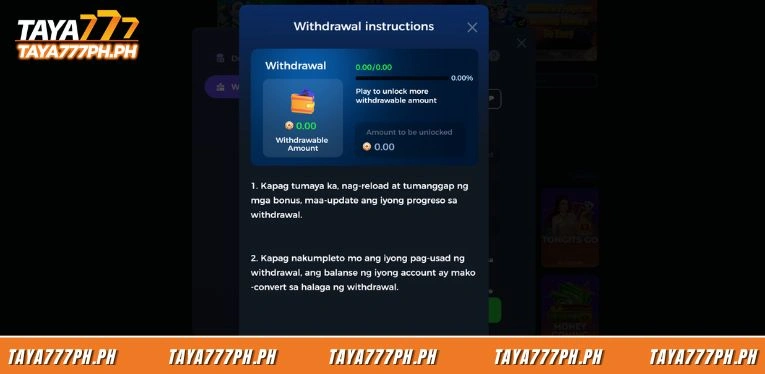
Step 3: Enter the amount to withdraw
In the Enter your amount field, players enter the amount they want to withdraw in peso. This amount must stay within the allowed limit and must not exceed the Withdrawable Amount already unlocked. The Withdrawal Fee line shows 0 under standard conditions.
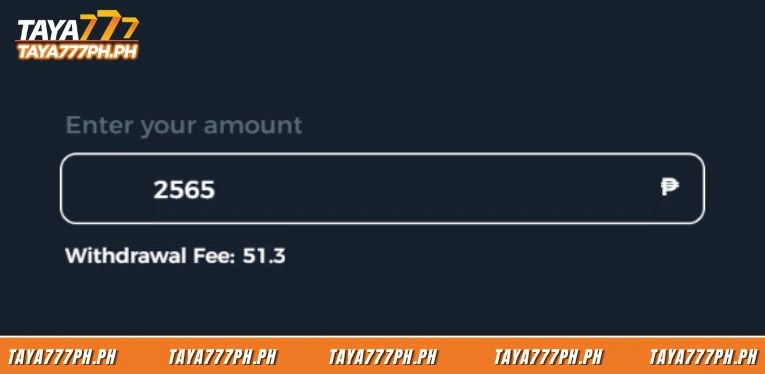
Step 4: Select the withdrawal method
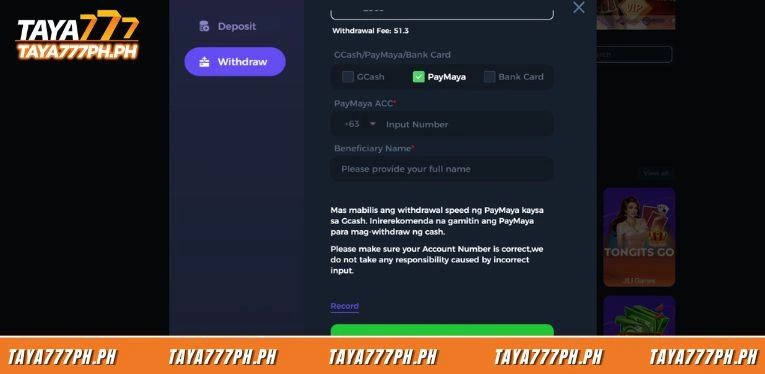
Players select one of the three methods shown, GCash, PayMaya, and Bank Card, by ticking the corresponding box. The selected box turns into a green check mark. Each method requires a different set of details in the next step.
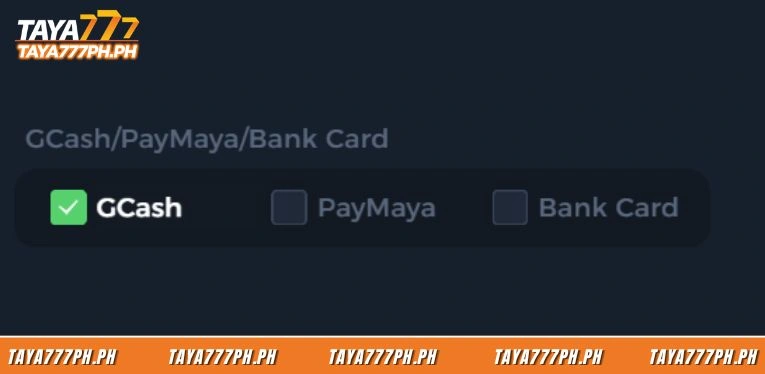
Step 5: Fill in the receiving account details and Beneficiary Name
Depending on the chosen method, players fill in the corresponding details.
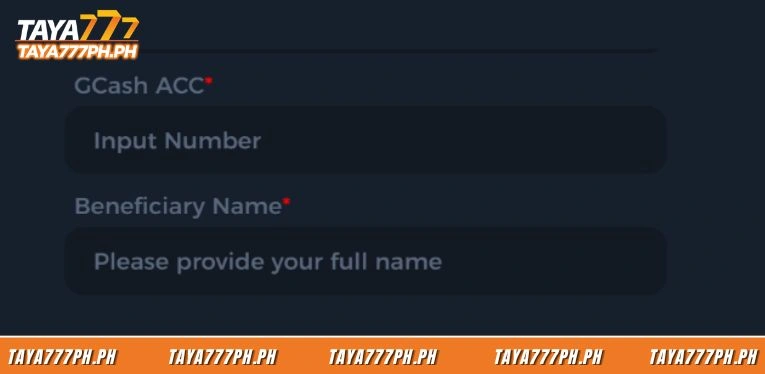
- GCash: Enter the GCash ACC number in the Input Number field.
- PayMaya: Enter the phone number with the +63 area code in the PayMaya ACC field.
- Bank Card: Select the Bank Name from the bank list dropdown and enter the Bank Number.
In all three cases, the Beneficiary Name field must be filled in with the full name matching the registered account name.
Step 6: Press Withdraw and track the status
After filling in all the details, players press the green Withdraw button at the bottom of the form to submit the withdrawal request to the system.The request switches to pending status immediately.
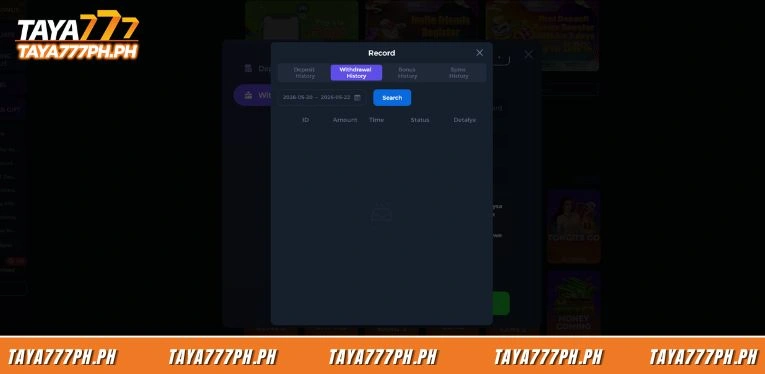
Players track the transaction progress via the Withdrawal History section under Record to get real-time status updates.
Conditions to meet before withdrawing from Taya777
Before submitting a Taya777 withdrawal request, players should check that the account meets all the required conditions.
- Complete KYC verification with valid identification documents for the first withdrawal.
- Meet the full wagering requirement to unlock the Withdrawable Amount.
- Ensure the Beneficiary Name matches the registered account name. The requested amount is within the allowed limit shown on the Withdrawal interface.
If the account has not completed identity verification, the system will require additional documents before processing, extending the transaction time. For subsequent withdrawals, once KYC has been approved and stored in the system, transactions are processed at the standard speed of the chosen method.
Factors affecting Taya777 withdrawal time
Taya777 withdrawal time is influenced by four main factors that players should understand in order to make transactions effectively.
- E-wallets, including PayMaya and GCash, are processed through an automated payment system, so they complete within a few minutes, with PayMaya being faster than GCash.
- The progress of unlocking the Withdrawable Amount determines whether a player can withdraw or not. If the Withdrawable Amount has not been sufficiently unlocked through betting, the system only allows withdrawal of the unlocked portion.
- An account that has not completed identity verification needs additional time for document approval before the transaction is processed.
- Peak evening hours usually have a larger volume of simultaneous transactions, while weekends and holidays in the Philippines such as Christmas, New Year, and Holy Week can slow down Bank Card transactions.
Frequently asked questions about Taya777 withdrawal
Below are the frequently asked questions about the withdrawal process at Taya777:
Which Taya777 withdrawal method is the fastest?
PayMaya is the fastest withdrawal method at Taya777 according to the recommendation shown directly on the Withdrawal interface, with a processing speed faster than even GCash.
Why do I see a balance but cannot withdraw at Taya777?
The cause is Taya777’s Withdrawable Amount mechanism, in which the balance in Balance must go through betting to be unlocked into withdrawable funds.
Are there fees for withdrawing from Taya777?
The Withdrawal Fee at Taya777 is usually 0 under standard conditions, shown directly on the withdrawal interface when the player enters the amount.
Which banks does Taya777 support for withdrawals?
Taya777 supports 14 banks in the Philippines via the Bank Card method, including BDO Unibank, Metropolitan Bank and Trust Co, LANDBANK, Union Bank of the Philippines, Security Bank, RCBC, PSBank, and many other financial institutions in the Bank Name dropdown list.
Does the first Taya777 withdrawal require KYC verification?
Yes. The first withdrawal at Taya777 requires completing KYC verification with valid identification documents. Subsequent withdrawals are processed faster once KYC has been approved and stored in the system.
The Taya777 withdrawal process has 6 steps via GCash, PayMaya, or Bank Card, with PayMaya being the fastest. Players should remember that the balance must complete the wagering round to unlock the Withdrawable Amount before withdrawing, while also completing KYC and entering the correct Beneficiary Name so the transaction is not rejected.

Barbie Imperial is a Senior Content Strategist at TAYA777, specializing in online casino news, detailed gaming guides, and sports betting insights for the Philippine market. With a proven track record in the iGaming industry, she is committed to providing reliable, accurate information that helps players bet with clarity and confidence.